
Phone:

Turn your Android phone into a professional business phone. Crystal-clear calls, instant setup with activation code, push notifications, and multi-line support.
VoipPlus connects to your company's phone system in seconds. All you need is an activation code from your administrator.
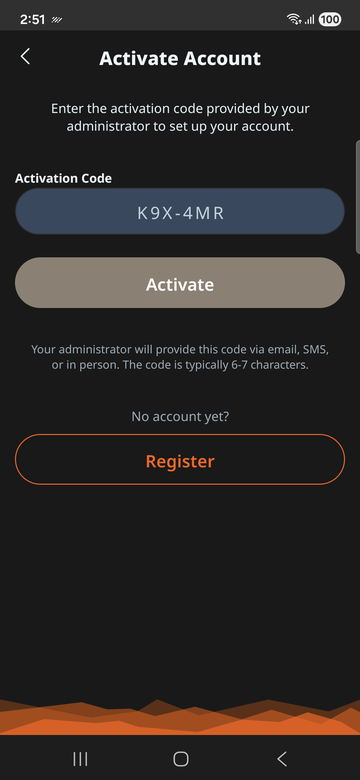
When you enter your activation code, VoipPlus contacts the provisioning server to retrieve your unique configuration. This includes your extension number, SIP credentials, server address, and push notification settings. Everything is configured automatically — no manual SIP setup required.
VoipPlus supports multiple extensions on a single device, so you can manage more than one line from the same phone.
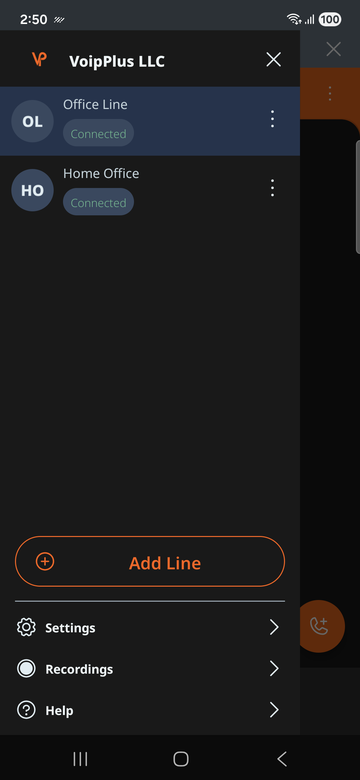
When you have multiple extensions configured, you can select which line to use for outgoing calls. Incoming calls to any of your extensions will ring on your device.
VoipPlus offers several ways to place a call, just like a traditional desk phone.
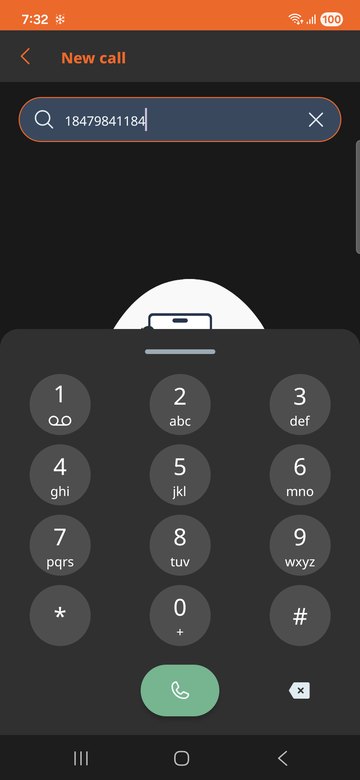
Tap the dial pad icon to enter an extension or full phone number, then tap the call button.
Browse your phone's contact list within VoipPlus and tap a contact to call them directly.
Tap any recent call entry to call that number back instantly.
Dial a colleague's extension number (e.g., 1001) for internal calls at no cost.
VoipPlus ensures you never miss a business call, even when the app isn't open.
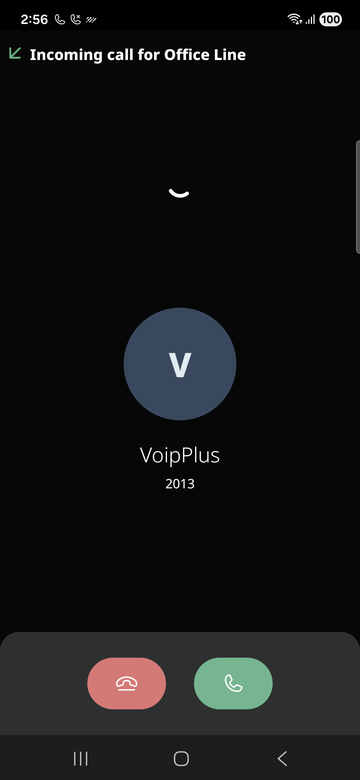
When someone calls your extension, your company's phone system sends a push notification to your device. This wakes VoipPlus instantly and displays the incoming call screen with the caller's name or extension number.
Push notifications ensure calls come through even when the app is closed or the phone screen is off.
See the caller's extension number or name before you answer, so you know who's calling.
VoipPlus gives you full control during active calls with familiar phone features.
Place on hold. Caller hears hold music.
Mute your mic. Tap again to unmute.
Switch to speakerphone.
Transfer to another number.
During a call, you can open the dial pad to send DTMF tones. This is useful for navigating automated phone menus (IVR systems), entering PINs, or interacting with conference bridges.
To transfer an active call:
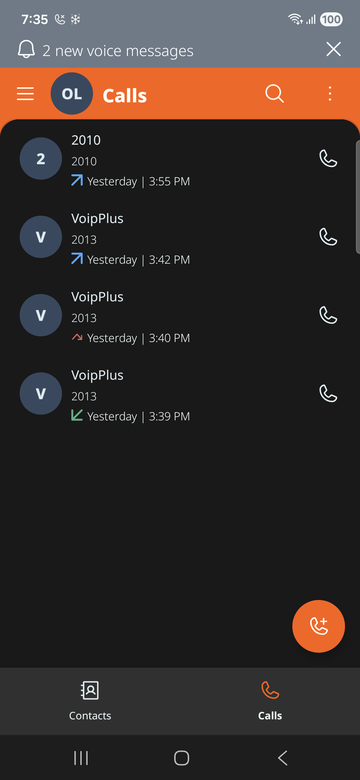
VoipPlus keeps a log of your recent calls so you can quickly review and return calls.
The Calls tab shows your recent call history, including:
Tap any entry to call that number back immediately.
Access your voicemail directly from VoipPlus.
VoipPlus integrates with your phone's contact list for convenient calling.
When you grant VoipPlus permission to access your contacts, your phone's address book is available within the app. You can search for a contact by name and tap to call them.
When a contact calls you, VoipPlus matches the incoming caller ID with your phone's contacts to display the caller's name on the incoming call screen.
Push notifications are how VoipPlus receives calls without draining your battery.
Instead of keeping a constant connection open (which would drain your battery), VoipPlus relies on push notifications from Google's Firebase Cloud Messaging (FCM). When a call comes in, your phone system sends a push notification to wake the app. VoipPlus then quickly connects and rings your phone.
Android's battery optimization can interfere with push notifications by delaying or blocking them. To ensure reliable call delivery:
If you're experiencing issues, try the solutions below before contacting support.
| Problem | Solution |
|---|---|
| No incoming calls | Disable battery optimization for VoipPlus. Check that you have an active internet connection (Wi-Fi or mobile data). Restart the app. |
| Calls drop or have poor audio | Switch to a more stable network (Wi-Fi if on mobile data, or vice versa). Move closer to your Wi-Fi router. Check that no other app is heavily using bandwidth. |
| Activation code not working | Verify the code is entered correctly (codes are case-sensitive). Check that the code has not expired. Contact your administrator for a new code. |
| "Registration failed" error | Ensure you are connected to the internet. If your company uses a VPN, make sure it's active. Try re-provisioning your account. |
| No audio during call | Check that VoipPlus has microphone permission. Ensure your phone is not in Do Not Disturb mode. Try switching between speaker and earpiece. |
| Echo or feedback | Lower the call volume. Use headphones or a Bluetooth headset. Move away from reflective surfaces. |
If your account settings have changed or you're experiencing persistent issues, re-provisioning downloads a fresh configuration from the server:
If support asks you to send diagnostic logs:
Also available for iPhone
iOS Setup Guide